Best Money Saving Grocery Apps: A Researched Comparison
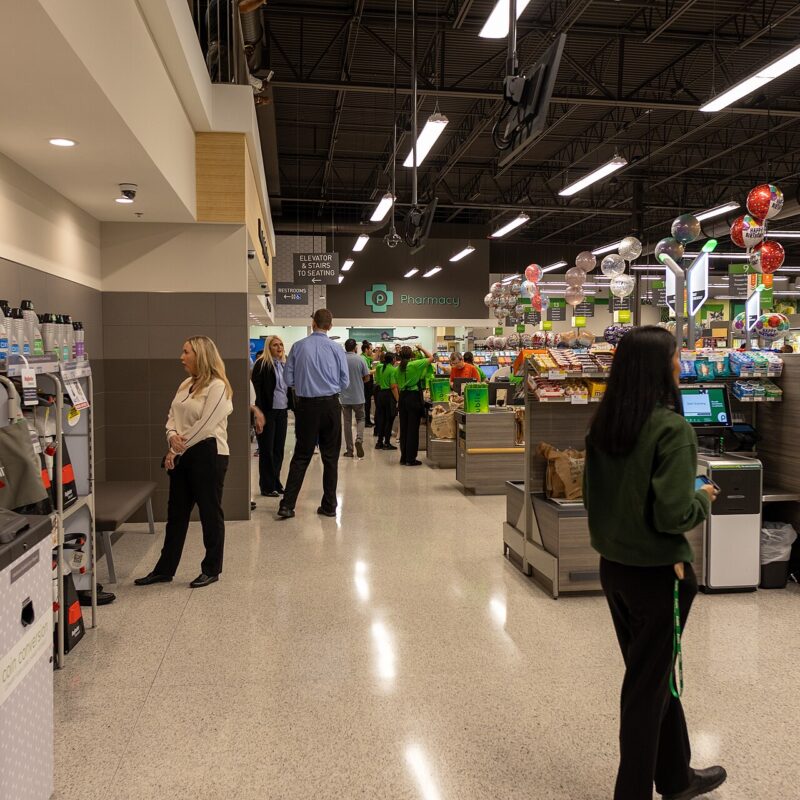
Photo: Photo: Nielsoncaetanosalmeron, CC BY 4.0, via Wikimedia Commons.
This article is for general information only, not financial, tax or investment advice. Rules, rates and fees change, so check the details and talk with a licensed professional about your own situation.
Sources checked October 23, 2026.
A grocery app only earns its spot on your phone if it lowers the cost of food you were going to buy anyway. A reward for something you didn’t need is still spending.
Some links may earn us a commission at no cost to you.
This guide compares six popular apps using each company’s own help pages: how the savings show up, what the fine print requires and where people commonly lose value. It is not a store-by-store trial, and it doesn’t rank apps by dollars saved. Results depend on your store, ZIP code and list, so the scorecard near the end lets you measure your own.
Which apps do what? The useful distinction
These services aren’t interchangeable. They fall into a few types:
| App | Main job | When it matters | How value appears |
|---|---|---|---|
| Flipp | Browse weekly ads and build a list | Before choosing a store | Lower shelf price, if the deal is real for your list |
| Kroger | Load digital coupons to a Shopper’s Card | Before checkout | Discount at the register, shown on the receipt |
| Target Circle | Member deals at Target | At checkout | Most deals apply automatically |
| Ibotta | Cash back on specific offers | Before shopping and after the receipt | Earnings balance, withdrawable at $20 |
| Fetch | Points for scanned receipts | After purchase | Points traded for rewards |
| Upside | Cash back at participating local businesses | Before paying at that location | Cash back after the offer processes |
Think of these as categories, not a leaderboard. An app that pays well in one town can have almost nothing to offer in another.
Register discounts: the savings you can see right away
Kroger digital coupons
Kroger’s coupon FAQ explains the sequence: link your Shopper’s Card to your digital account, press Load to Card on each coupon, then scan the card or enter your Alt ID at the register. The discount appears on the receipt under the qualifying item, marked “ecpn.” The FAQ also says start and end dates vary by coupon and that most offers can be loaded only once per household.
Before you check out, confirm the product size and quantity, the account the coupon is on and the coupon’s end date. If a discount doesn’t apply, Kroger says to ask the cashier or contact Customer Service. Read the coupon terms rather than assuming offers stack.
A quick illustration: a planned item at $4.79 with a $1 digital coupon rings up at $3.79 before tax. That’s a real dollar. If the coupon required buying three and you needed one, subtract the cost of the two extras.
Target Circle deals
Target’s Circle help page says members used to tap to add savings, but now most Target Circle deals apply automatically at checkout, in-store and online. Circle Bonuses, coupons and rebates are different: you apply or activate those yourself in the app or at Target.com/circle.
The practical rule is to identify yourself as a member before paying. A deal that didn’t show up on the receipt saved you nothing until it’s fixed.
Delayed rewards: cash back and points
Ibotta
Ibotta’s help center says adding offers to your list before you shop or submit a receipt is an important step. Its receipt instructions say to photograph the printed, itemized receipt in the app, that cash back should arrive within 72 hours, and that the receipt shouldn’t be older than 7 days. Some retailers let you link a loyalty account instead of submitting a receipt.
Cash doesn’t leave the app right away. The earnings page says you can withdraw once you reach $20 and have redeemed at least one qualifying offer, and you need to build back to $20 after each withdrawal. Until then, a pending $2 isn’t money you can spend.
If an offer doesn’t credit, the missing cash back page says you can claim it once per purchase within 7 days of the receipt date, with a review that can take up to 24 hours. Keep the paper receipt until the reward posts. Check current terms in the app, since processing rules can change.
Fetch
Fetch awards points for receipts and trades those points for rewards. Its redemption steps say to pick a reward and value, then wait 72 hours for it to process. Value per point depends on the reward you choose, so don’t assume a fixed cash rate.
There’s a deadline. Fetch says that if your account is inactive for 90 consecutive days, your points expire (points policy). Scanning a receipt or redeeming a reward keeps it active, and Fetch says it sends an email and text before points expire.
Upside
Upside’s how-to page lists the steps: tap Claim on an offer, go to that exact location, pay with a card linked to your Upside Wallet or through the app, wait for the offer to process, then cash out by bank transfer or gift card. Upside also suggests keeping the receipt until the cash back appears.
Participating businesses and rates vary by area and change often, so no national grocery percentage is quoted here. Upside offers are worth claiming where you already planned to shop. A $3 offer that adds 12 miles and 20 minutes may not be a saving at all.
A scorecard for measuring your own savings
Fill this in from your own receipts over two comparable trips. Every field starts blank on purpose.
| Metric | Trip A | Trip B |
|---|---|---|
| Shelf total for the planned list | $____ | $____ |
| Register total | $____ | $____ |
| Store coupon or loyalty saving (confirmed) | $____ | $____ |
| Ibotta cash back (credited) | $____ | $____ |
| Fetch reward value at your chosen redemption | $____ | $____ |
| Upside cash back (credited) | $____ | $____ |
| Extra driving or fees | $____ | $____ |
| Net saving on the same planned list | $____ | $____ |
| Extra minutes spent | ____ | ____ |
How to fill it in without fooling yourself:
- Write a fixed list of about 10 everyday items, including a couple of store brands, before opening any app. Don’t add items to chase rewards.
- Note each item’s size and shelf price at your usual store.
- Check weekly ads and load store coupons first, then add cash-back offers.
- Count a reward only once it’s credited, not while it’s pending.
- If your starting point is the post-coupon receipt, don’t subtract store coupons a second time.
- Compare equal sizes and account for extra miles and time.
It also helps to divide savings by extra minutes. If two approaches each save $6 but one takes 3 extra minutes and the other 25, that works out to $2 per minute versus $0.24 per minute. Those numbers are illustrative only. An app that feels like a second job needs to pay like one.
A sensible starting order
If you’re new to these tools, start with your main store’s loyalty program plus a weekly-ad app like Flipp. Both cut costs at the register on items already on your list, and there’s nothing to redeem later. After that, add one cash-back app that supports your usual store, and wait until its first reward actually posts before adding another.
FAQ
Which grocery app saves the most money?
It depends on your store, your list and your location. Compare register discounts and credited rewards on the same planned items before deciding.
Can I use Ibotta and store coupons together?
Often, but individual offers and retailers have their own rules. Check the specific offer details in the app.
Are Fetch points the same as cash?
No. They’re reward points that you redeem for specific rewards, and they expire after 90 consecutive days of account inactivity.
Do Target Circle deals need to be clipped?
Target says most apply automatically at checkout for members. Circle Bonuses, coupons and rebates need to be applied or activated.
Is it worth driving to a second store for an app offer?
Only when the saving clearly beats the extra miles, time and any impulse buys. Claiming offers where you already shop is the safer default.
Sources
- Flipp — Weekly Ads and Shopping Lists
- Kroger — Digital Coupon FAQs
- Target — Target Circle Deals
- Ibotta — How Do I Add an Offer?
- Ibotta — Submit a Receipt for Cash Back
- Ibotta — What Are Earnings?
- Ibotta — Claim Missing Cash Back
- Fetch — Common Questions
- Fetch — How to Redeem a Reward
- Fetch — Do Fetch Points Expire?
- Upside — How to Use Upside
An American Dad
Dad, researcher of everyday money and life questions, and the person friends ask before they buy. I write plain.tips so my family, and anyone else, have one place to find answers worth knowing.